Logopress DieDesign PREMIUM
This page is a copy of the DieDesign page as of 2-16-2021. This page will not be finalized until after the DieDesign page.
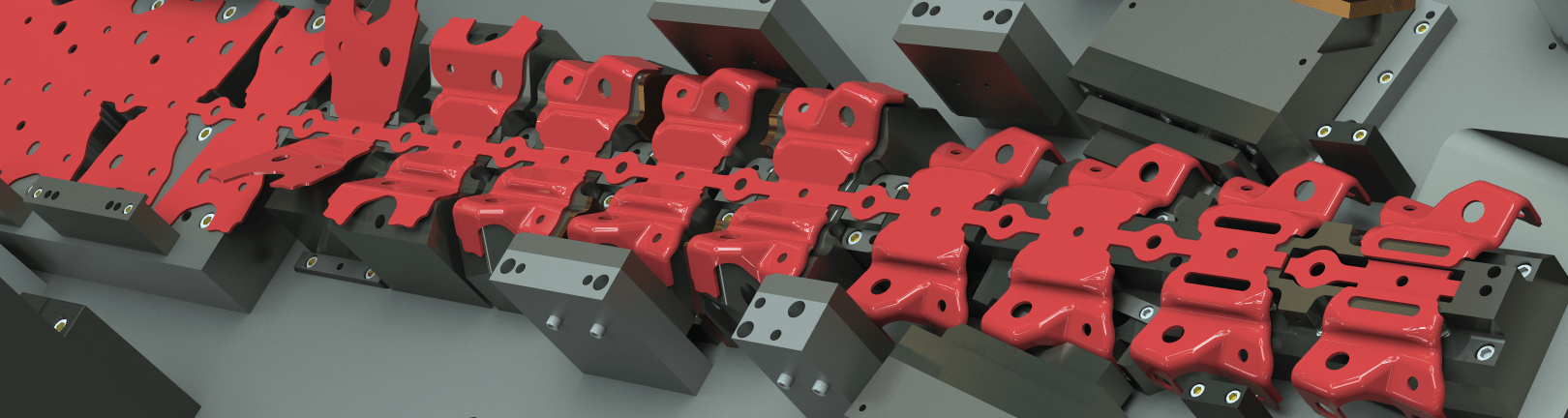
Logopress Die Design is an all-inclusive, turn-key package for all aspects of standard die design. There are only two other products that can be added to this powerful package. PBC (sold as Die Design Premium) adds an unforming tool for generating the complex intermediate forms of double curved automotive style parts. ProgSim can be added to either of these packages (Die Design or Die Design Premium) to provide sheet metal forming simulation capabilities to prove that your design will work when steel is finally cut.
Logopress DieDesign PREMIUM contains everything that Logopress DieDesign contains, plus more tools to help generate the intermediate stages of complex forms, such as automotive or electircal parts.
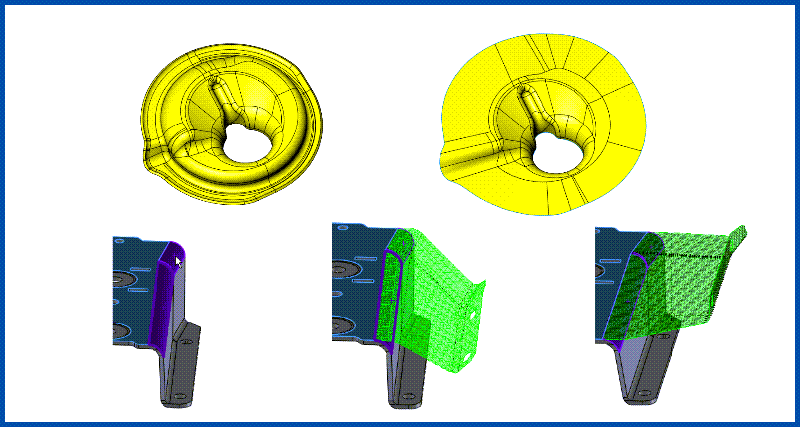
Partial Unforming Tools
Partial Unform allows die designers to model the complex-shaped intermediate stages of a progressively formed part in minutes instead of hours or days. Learn More
The rest of the items listed below are all included as part of both DieDesign packages.
The StripLayout and Flatten modules can be purchased separetly for users who do not need to design dies, jigs, fixtures, or other special machines. These smaller packages can be incredibly useful for anyone in the quoting role.
View complete Logopress Product Matrix
Read more about the features of Logopress DieDesign:
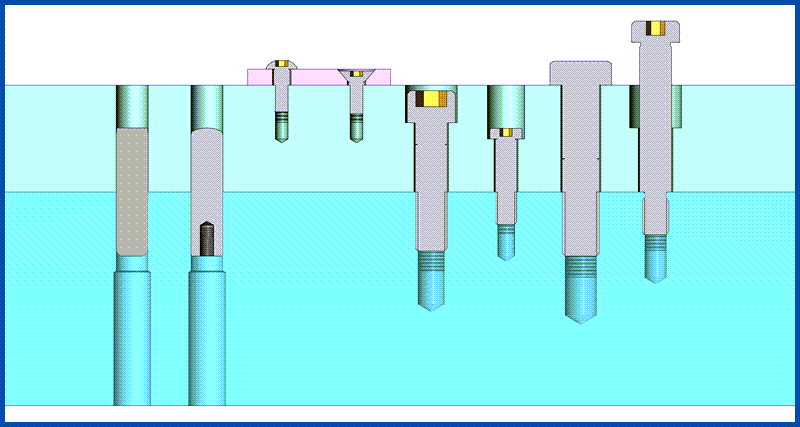
123GO Catalog Components
Insert everything from screws to nitrogen, including the correct part number, mounting hardware, and clearnaces in just a few clicks. Over 200,000 individual components to choose from. never misalign a hole again. Learn More
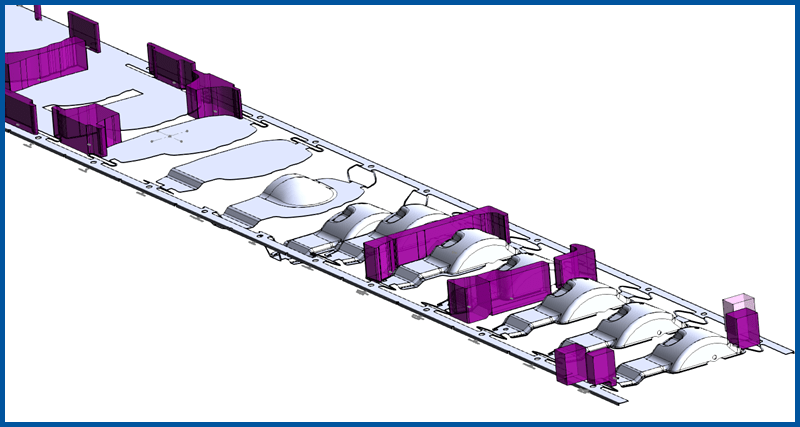
StripLayout
The StripLayout module can be used for both progressive dies and for trasnfer dies. It allows quick modeling of a true 3D strip in a very easy and logical way. Learn More
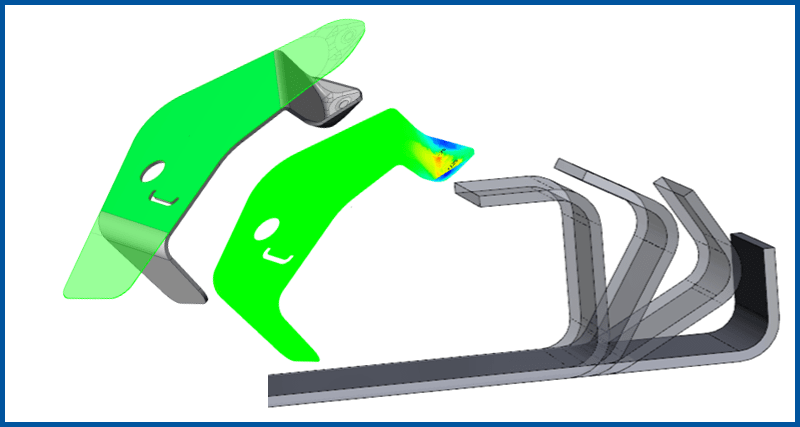
Flatten
Unbend parts incrementally to generate the stages of forming. Includes one-step Finite Element Analysis to quickly asses formability of parts. Learn More
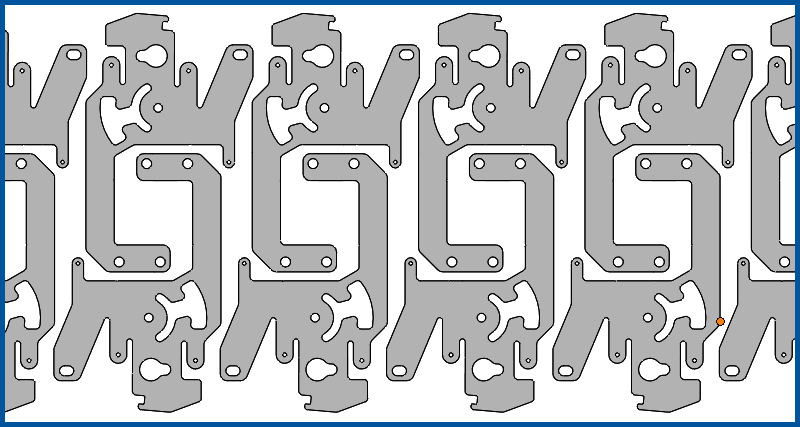
Nest
Developed to optimize material usage in a strip layout, this tool can also be leveraged for nesting parts in a sheet, such as for a laser, or punches into a block for WEDM. Learn More
Logopress ProgSim is the ONLY Logopress software that is NOT included in the base price of Logopress DieDesign PREMIUM. Take your die designs to the next level by adding full incremental FEA simulation to SOLIDWORKS, right at the StripLayout stage!
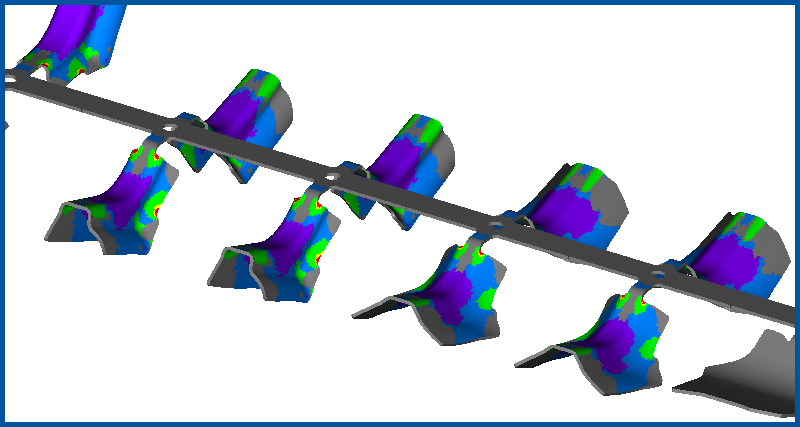
Logopress ProgSim - Optional
Determin formability and springback status inside Logopress DieDesign software, allowing the designer to address formability issues before the die is designed. Deliver dies faster with less mistakes. Learn More
Logopress3 Die Design software improves the SolidWorks die design process with these major enhancements:
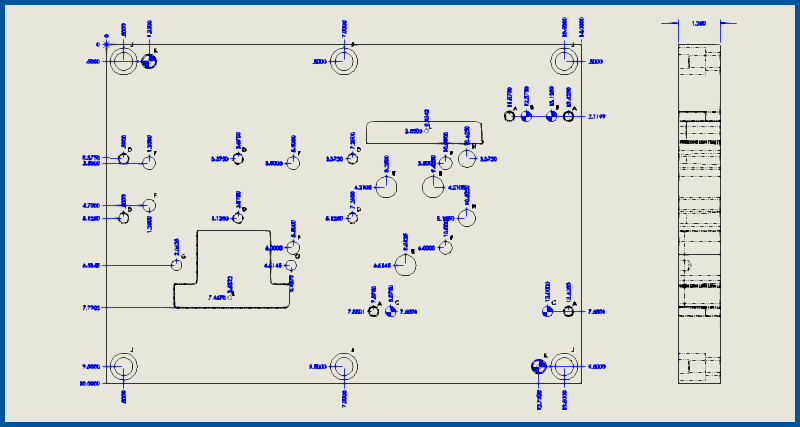
Improved 2D Drawings
SOLIDWORKS drawings are significantly enhanced with Die Design specific hole tables, Bill of Materials (with many auto-ballooning options), automated smart-ordinate dimensions, and more! Play Now
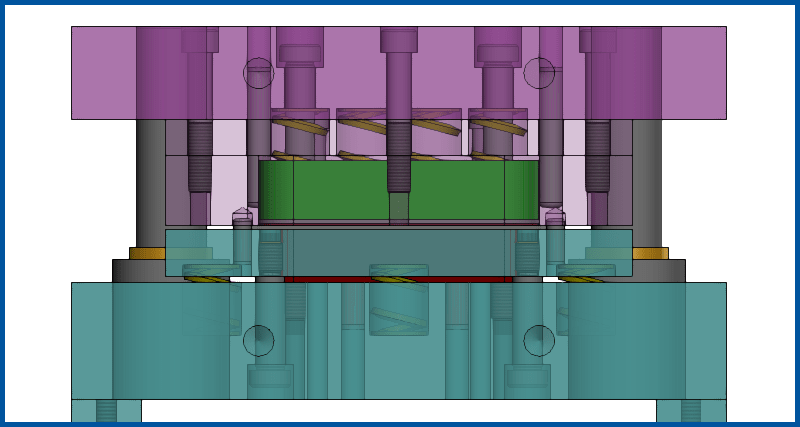
Tool Structure
Dedicated interface for quickly adding plates and subassemblies -- Material, Heat Treat, and more is automatically added to the Bill of Materials. Play Now
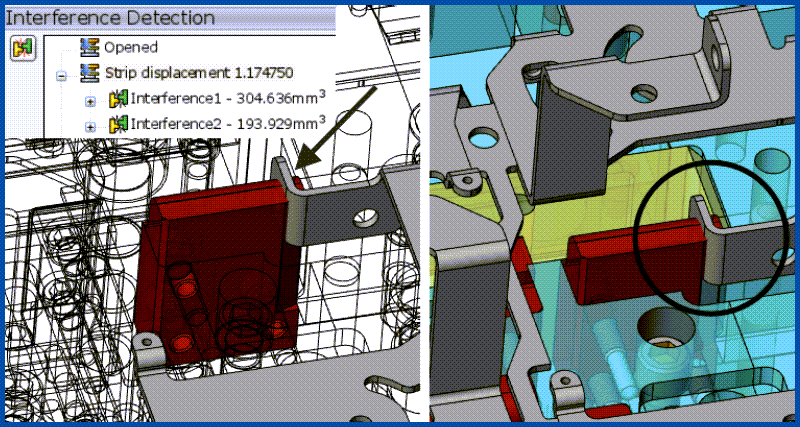
DIE DEBUGGER™
Put the tool into motion, and check for interferences dynamically as the press cycles and coil feeds. Catch design flaws early in the process! Watch Now
It's the little details that take any product from 'good' to 'great'. This functionality may not be as gound breaking as some of the above tools, but work together to streamline the die design process. After all, this is Die Design software created by die designers for die designers.
See it in action:
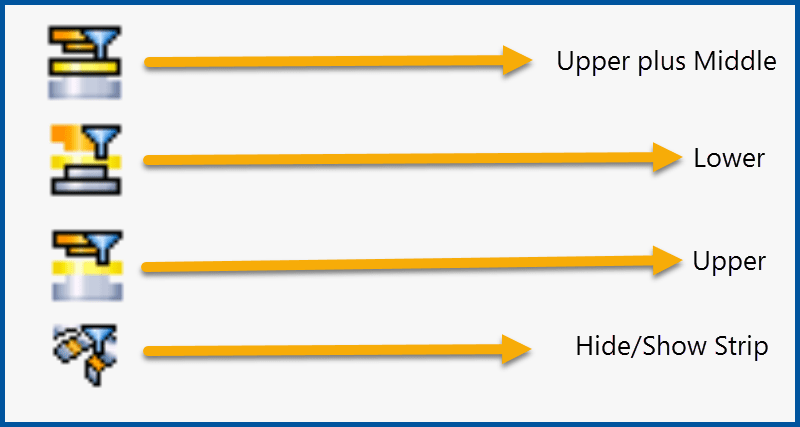
Filters
Filter functions to instantly hide/show the upper, middle, lower, and/or strip assembly in a tool. No more fussing around manually controlling individual parts or assemblies. Play Video
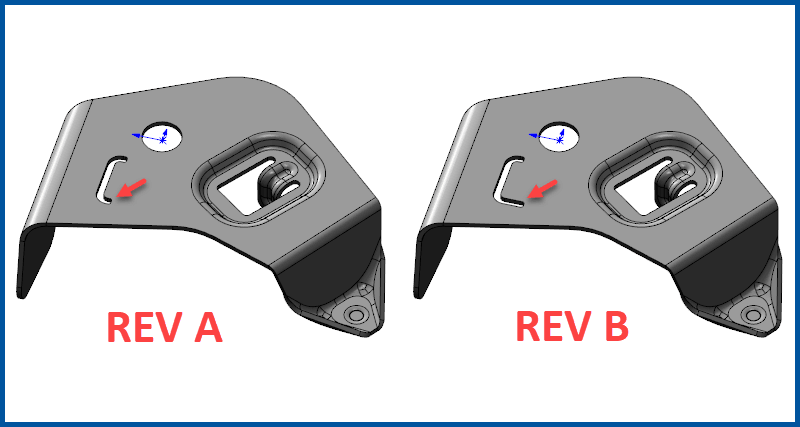
Save As... With New Project Name
Quickly reuse data from previous designs without fear of generating conflicting data. Project names are automatically added to every single part of a design to make them 100% unique to that design. Make Video?
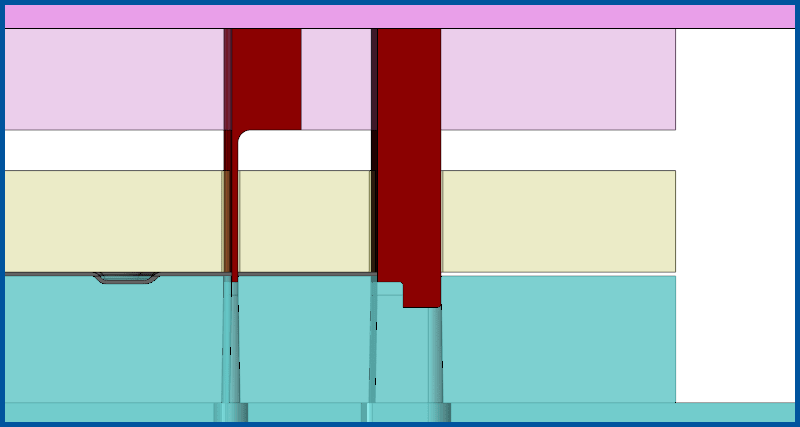
Punch Mounting
Mount punches into the correct sub assembly, including cutting all openings through the entire stack of plates. Clearances are remembered from the previous mounting for easy constancy. Play Video
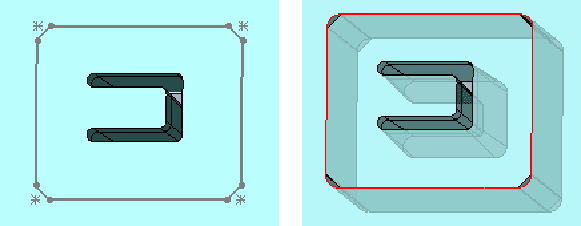
Die Inserts
Create inserts in plates, including openings with clearances, shims, and backups. Automatically follow profile of contoured part if needed. Make Video?
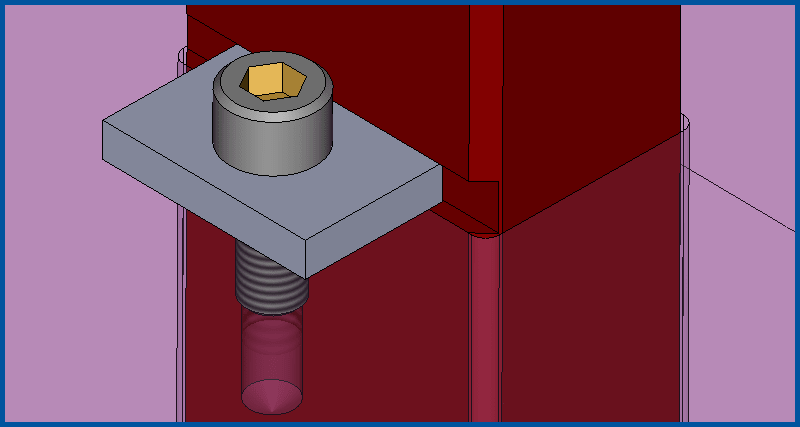
Punch Locking Tabs
Multiple punch retention methods with a variety of user customizable templates. Play Video
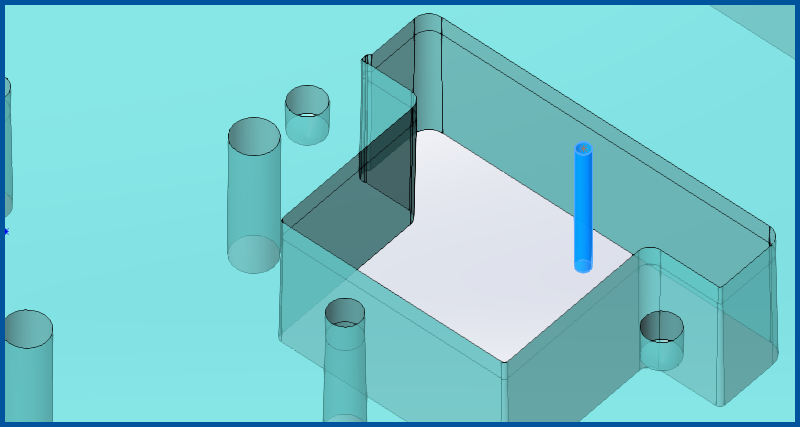
Wire EDM Start Holes
Create Wire EDM star holes, either automatically, or manually define placement to match your shop's standards. 5 different styles including sketches, surfaces, or solids for automatic CAM software recognition. Play Video
Logopress3 delivers a robuts and systematic workflow, increasing consistency accross designers and streamlining workflow through the entire shop. Revisions become a breeze.