• (262) 938-9316
  • search

Accurate Die Design Software

  • About
  • Software
    • Logopress Software
    • Stampack Software
  • Videos
    • LogoPress Videos
    • Stampack Videos
  • Testimonials
  • Publications
    • LogoPress Publications
    • Stampack Publications
  • Support
  • Contact
  1. Home
  2. Videos
  3. LogoPress Videos
  4. Strip Layouts Created Using LogoPress
  5. Fast Strip Layouts Using Progressive Blank Companion (Progressive Blank Companion (PBC) is Included in DieDesign PREMIUM)

Videos

  • Dozens of 1 Minute LogoPress Discovery Videos
  • Unbend Dirty Parts, Flatten Complex Double-Curved Parts
  • Strip Layouts Created Using LogoPress
  • Real Time Die Designs
  • DIE DEBUGGER™
  • ProgSim
  • Free LogoPress Design Manager (123GO)

Logopress Training

April 6-10, 2026

April 27 - May 1, 2026

May 14-20, 2026


Classes are 4 hours per day 

Click here for training details

Stampack Training

January 20-22, 2026

May 11-13, 2026


Classes are 4 hours per day 

Click here for training details

Events

Live Demo: LogoPress DieDesign used with Stampack Forming Simulation

March 31, 2026

Online Only


PMA Cleveland Suppliers Expo

April 23, 2026

Embassy Suites, 5800 Rockside Woods Blvd N.

Independence, OH


Webinar: Simulating Round Parts with Stampack Forming Simulation

April 28, 2026

Online Only


PMA Chicago Suppliers Expo

May 21, 2026

Venuti’s Banquet Hall

2251 W. Lake St.

Addison, IL


IMTS 2026

September 14-19, 2026

Booth: 135600

McCormick Place, Chicago IL


FABTECH 2026

October 21-23, 2026

Booth: S19019
Las Vegas Convention Center, Las Vegas NV

Fast Strip Layouts Using Progressive Blank Companion (Progressive Blank Companion (PBC) is Included in DieDesign PREMIUM)

Both LogoPress Strip Layout and DieDesign includes everything that most die designers need to create their strip layouts.

LogoPress DieDesign PREMIUM enables die designers to create the complex shaped intermediate stations of a progressively formed part faster than they otherwise could.

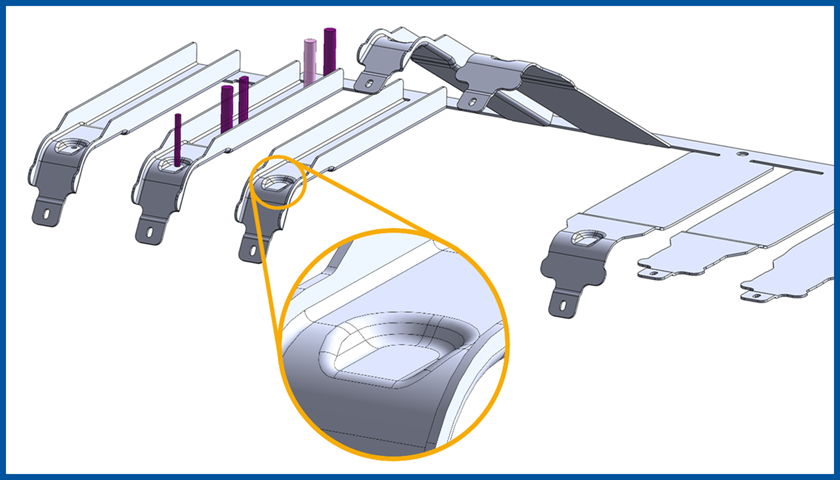
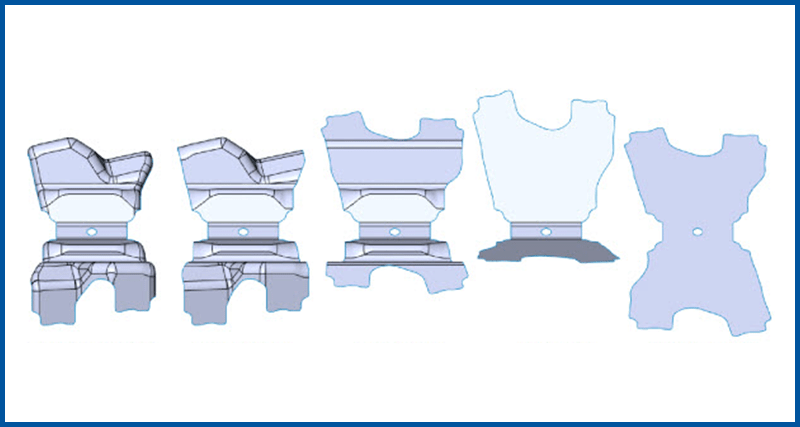
The Progressive Blank Companion command from LogoPress DieDesign PREMIUM is demonstrated in the videos below where, within these videos, the user unforms a complex shaped surface onto another surface, or unforms a surface tangent to an existing portion of the part.
Flange part strip.png
▶

(32:00) LogoPress DieDesign PREMIUM is used to create a strip layout for a complex shaped part in 32 minutes. This includes the automatic creation of a note and spreadsheet containing quoting/estimating information.


progressive blank companion.png
▶

(11:09) This is a shortened, simplified video that focuses mainly on the use of Progressive Blank Companion.

Within the first 15 seconds of this video we say we are going to "flatten the part in several intermediate stages". A better description is that we are going to create the intermediate stages of the formed part by "unforming" specific areas of the part and this will ultimately lead to the flat blank.
 

newbie strip.jpeg
▶

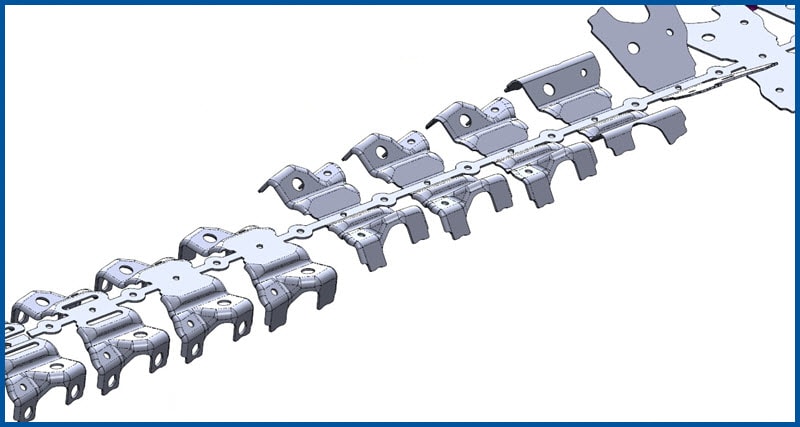
(25:31) The strip layout featured in the video to the left was created by a newbie die designer with only one year of experience after having carefully studied and taken notes on the original strip layout that had been created years earlier by someone without LogoPress. This young man also practiced creating this strip before recording the video. The goal of this video is to efficiently demonstrate the tools that are included within LogoPress DieDesign PREMIUM for creating a strip layout as well as using the Progressive Blank Companion.

While he knew exactly what he needed to do after having studied the original strip, you will see that to create this completely new strip layout he starts from scratch with a dumb imported model that could have come from any CAD system. This strip is not a mirrored strip, but is a two-out strip making two of the same part.

This video shows not only the incredible power of LogoPress DieDesign Premium, but also shows the talent of the younger generation - just waiting to be given an opportunity. This generation is eager to learn; we just need to provide them with the proper learning environment and tools.
two part mirrored.png
▶

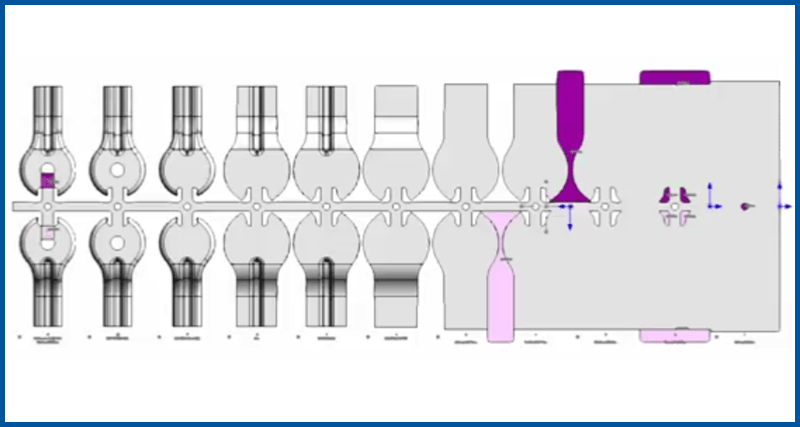
(48:33) This two-out mirrored strip layout is created slowly and methodically while practically every step is explained during its creation. It starts with a dumb, imported solid and finishes with a 2-out progressive strip layout, including cutting punches, in just 48 minutes. As you will see, it could have gone much faster were it not explained in depth as it was being constructed.
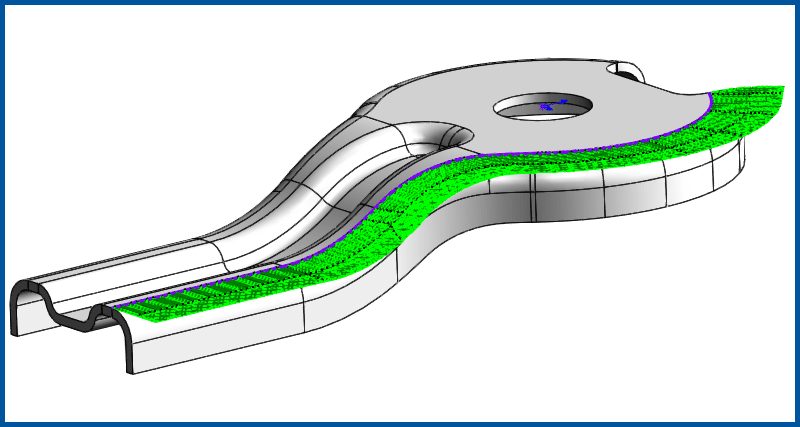
progressive blank.png
▶

(1:50) Progressive Blank Companion is used to unform or partially unform only a portion of a complex shaped part. This can be done tangent to the selected boundary edge or up to a user specified surface body.


Logopress Training

April 6-10, 2026

April 27 - May 1, 2026

May 14-20, 2026


Classes are 4 hours per day 

Click here for training details

Stampack Training

January 20-22, 2026

May 11-13, 2026


Classes are 4 hours per day 

Click here for training details

Events

Live Demo: LogoPress DieDesign used with Stampack Forming Simulation

March 31, 2026

Online Only


PMA Cleveland Suppliers Expo

April 23, 2026

Embassy Suites, 5800 Rockside Woods Blvd N.

Independence, OH


Webinar: Simulating Round Parts with Stampack Forming Simulation

April 28, 2026

Online Only


PMA Chicago Suppliers Expo

May 21, 2026

Venuti’s Banquet Hall

2251 W. Lake St.

Addison, IL


IMTS 2026

September 14-19, 2026

Booth: 135600

McCormick Place, Chicago IL


FABTECH 2026

October 21-23, 2026

Booth: S19019
Las Vegas Convention Center, Las Vegas NV

Accurate Die Design Software

  • About
  • Software
    • Logopress Software
    • Stampack Software
  • Videos
    • LogoPress Videos
    • Stampack Videos
  • Testimonials
  • Publications
    • LogoPress Publications
    • Stampack Publications
  • Support
  • Contact

© 2026 Accurate Die Design Software, Inc. | Privacy Policy | Sitemap